Buy for the viewers
For entertainment, review sightlines from several tables, sound levels and source connections. For menus, check readability from the queue, item count and price updates. A single screen may not serve both needs well.
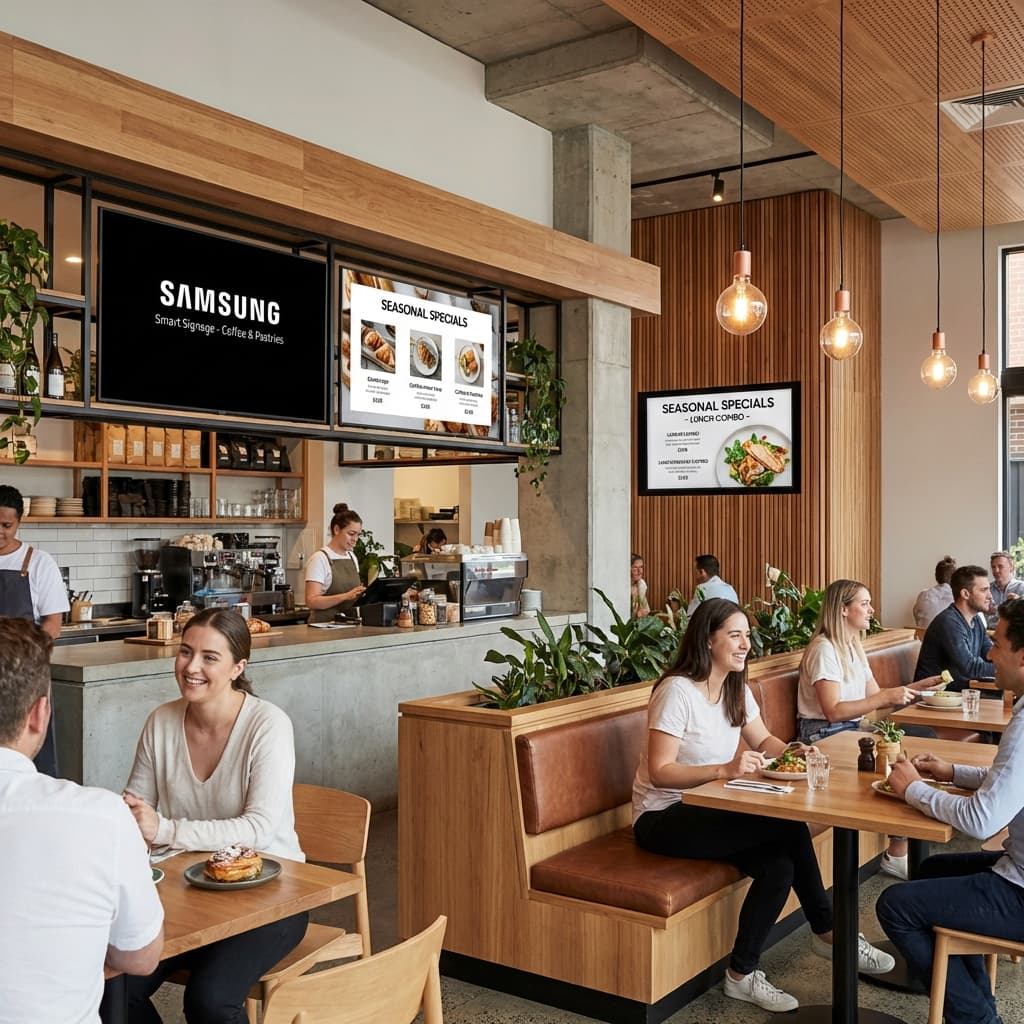
Buying a TV for your restaurant starts with what guests need to see. A screen for live entertainment is a different purchase from a menu board behind the counter. MeFirst helps compare smart TVs, Business TVs and signage displays, then scopes the mount, content source and setup. Share your restaurant location to confirm availability, delivery and installation.
Solution planning
For entertainment, review sightlines from several tables, sound levels and source connections. For menus, check readability from the queue, item count and price updates. A single screen may not serve both needs well.
Describe the proposed location, nearby heat, steam, grease and cleaning practices. Confirm ventilation and safe cabling; a normal television is not automatically suitable above cooking equipment.
Share opening hours and when content changes. Scheduled breakfast and dinner menus may need a compatible player and signage CMS; television entertainment uses a different source and account setup.
Ask for the exact TV or display model, screen size, mount, source or player, software if needed, delivery, installation and applicable commercial-use warranty. MeFirst confirms pricing and service scope for your address before an order is finalised.
Where it fits
Relevant work
Connected solution
Consider everyday entertainment TVs with the intended use and warranty checked.
Explore solution →Compare commercial TV models for customer viewing and supported promotional content.
Explore solution →TV-format screens selected for offers and advertising.
Explore solution →A dedicated guide to readable menus, prices and daypart schedules.
Explore solution →Scope token and order-progress communication separately from entertainment.
Explore solution →Frequently asked questions
Request a restaurant TV quote from MeFirst with your venue address, screen quantity, preferred size, daily opening hours and intended content. The team compares suitable smart TVs, Business TVs or signage displays and confirms model availability, price, delivery, installation and warranty scope before ordering.
There is no universal best screen. Entertainment, menus and pickup status have different viewing, content and operating requirements. Share your floor layout and intended content to compare suitable options.
A compatible signage workflow can combine or schedule menu and promotional content. Confirm the display, player, software licence and layout; a smart-TV app store alone does not provide that workflow.
Only if a required application or device workflow needs that platform. Samsung Tizen, LG webOS and Android TV have different app ecosystems. For signage, first confirm the CMS and player compatibility instead of choosing on operating-system name alone.
Before you request a quote
Send these details with your town and PIN code:
Review the picture from several tables. If the screen is for menus, test text separately rather than relying on an entertainment demo.
മലയാളത്തിൽ
ഉപഭോക്താക്കൾക്ക് പരിപാടികൾ കാണിക്കാനാണോ മെനുവും ഓഫറുകളും കാണിക്കാനാണോ ടിവി വേണ്ടത് എന്ന് ആദ്യം തീരുമാനിക്കുക. ഇരിപ്പിടങ്ങൾ, വെളിച്ചം, പ്രവർത്തന സമയം എന്നിവ അനുസരിച്ച് സാധാരണ ടിവിയോ സൈനേജ് സംവിധാനമോ തിരഞ്ഞെടുക്കാം.
മലയാളം വാങ്ങൽ ഗൈഡ് →All 14 Kerala districts
MeFirst accepts display and software enquiries from every city, town and village in Kerala. Our team is based in East Nadakkavu, Kozhikode. Delivery, site visits, installation and support are confirmed for your address and project scope before ordering.
Share your location, business type, screen requirements, and rollout timeline. We will help define the right next step.
Request a consultation