Organize content centrally
Maintain approved images, videos and playlists in one workspace instead of visiting every TV with removable storage.
Change advertising content on compatible connected TVs and displays without visiting each location. DisplayQue SignagePro organizes media, playlists, schedules and screen groups, and can show an event video for a short window before ads resume. Teams manage campaigns from a desktop workspace and supported mobile app access. MeFirst scopes the player, connectivity, permissions and rollout across Kerala.
Download DisplayQue Software brochure (PDF)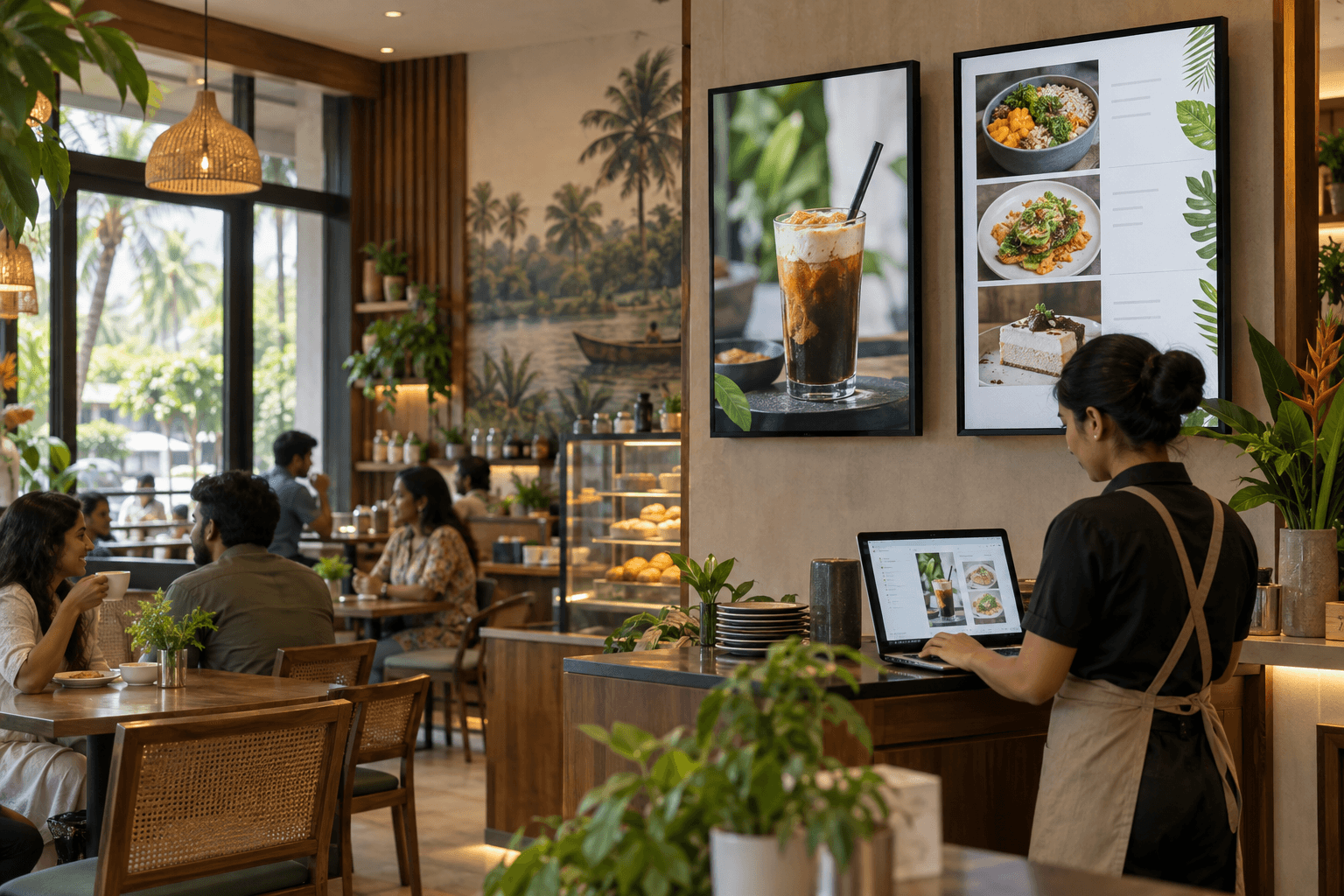
Solution planning
Maintain approved images, videos and playlists in one workspace instead of visiting every TV with removable storage.
Update ads on selected connected screens or branch groups from wherever your authorized team works. Schedule campaigns by screen, zone and time period.
MeFirst can scope display compatibility, player requirements, network setup, account configuration, onboarding, and support.
Where it fits
Remote TV advertising
SignagePro is the content publishing workflow for promotions, menus and announcements. A connected player and compatible screen receive the approved content; staff control what appears and when from the configured workspace.
Use a compatible TV or professional display with the required player and internet connection. MeFirst checks the exact hardware before deployment.
Upload approved ads, menus or notices, then organize them into playlists, zones and schedules in SignagePro.
Assign content to a screen or branch group and update it remotely. Desktop and supported mobile app actions are confirmed for the account in a live demo.
For an event in your space
During an on-site event, select the screen and agree the short video window. The normal advertising playlist resumes afterward. During setup, confirm whether the source is a live feed or prepared file, how playback starts and ends, and what the screen shows if the source is interrupted.
Tell us the number of screens and branches, their TV or player models, available internet connection, media formats, who approves campaigns and who needs desktop or mobile access. We can then demonstrate the exact publishing workflow and quote the required devices, licences, setup and support.
Relevant work
Digital menu board
A commercial display workflow was planned around menu visibility, promotional media playback and future content updates.
View case study →Digital standee
A floor-standing digital signage approach was scoped with attention to content format, stable placement and update responsibility.
View case study →Retail digital signage
A retail signage screen was planned around promotional visibility, daily operating use and future content changes.
View case study →Connected solution
A complete display system for advertising, menus and announcements across one venue or multiple branches. MeFirst scopes commercial screens, compatible players, DisplayQue SignagePro publishing, connectivity, installation and training. An event video can be planned for a defined window before the normal playlist resumes.
Explore solution →Choose a Business TV or commercial TV for your shop, café, office or waiting area. MeFirst helps compare operating hours, screen sizes and supported advertising-content workflows, with supply and installation enquiries across Kerala.
Explore solution →Specify a professional digital signage display for portrait advertising, information screens or a managed network of business displays. MeFirst in East Nadakkavu, Kozhikode (Calicut), helps compare brightness, approved operating hours, orientation, control and content-player compatibility. For a straightforward shop advertising TV or menu screen, explore our separate Signage TVs category.
Explore solution →Plan an indoor or outdoor LED video wall with MeFirst in East Nadakkavu, Kozhikode (Calicut). We help Kerala businesses select modular LED wall panels, screen dimensions, pixel pitch and control systems, with site assessment and installation scoped for the project.
Explore solution →Build an LCD video wall from multiple professional display panels for dashboards, monitoring, presentations and reception areas. MeFirst plans the panel grid, bezel width, controller, mounting and calibration for commercial projects across Kerala.
Explore solution →WoodVue Kiox Series combines a wooden kiosk enclosure with a commercial display for self-service, information, ordering and promotional workflows.
Explore solution →Plan compatible displays, players, connectivity, accounts, initial workflows, testing, and user handover.
Explore solution →Frequently asked questions
Software capabilities are based on the public product information from DisplayQue. Final compatibility and scope are confirmed during solution design.
DisplayQue describes SignagePro as supporting content, playlists, zones, schedules, campaigns, and device groups. Final deployment capabilities are confirmed during solution design.
Yes. Screen groups and scheduling help a central team publish different ads or menus to connected displays across multiple branches. Each location needs compatible playback hardware and network access.
MeFirst can scope SignagePro desktop and supported mobile access for authorized staff. Available publishing and approval actions depend on the account, app and selected deployment; ask for a demo of the exact workflow you need.
Yes, when the selected display or player has a compatible network connection. SignagePro can send updated campaigns to connected screens without a staff visit for every content change. The screen still needs power, suitable playback hardware and an active connection.
Yes. A SignagePro event workflow can show event video on selected screens for an agreed short period during an on-site event, then return to the scheduled advertising playlist. Confirm whether the source is a live feed or prepared file, along with the start and end method, playback device and return behavior in a demo.
A TV or display needs a compatible playback method, network connection and suitable operating profile. MeFirst checks the exact screen model and any external player before promising remote updates; an ordinary TV does not automatically include SignagePro.
MeFirst can include display planning, software onboarding, initial structure, publishing tests, and staff handover in the quotation.
Before you request a quote
Send these details with your town and PIN code:
Request a demo that publishes your sample content to compatible hardware. Confirm player costs, licence basis, account ownership and renewal terms before subscribing.
മലയാളത്തിൽ
കടയിലെ ടിവി, മെനു ബോർഡ്, ഡിജിറ്റൽ സ്റ്റാൻഡി എന്നിവയിലെ ഉള്ളടക്കം നിയന്ത്രിക്കാൻ സൈനേജ് സോഫ്റ്റ്വെയർ പരിശോധിക്കാം. സ്ക്രീനുകളുടെ എണ്ണം, പ്ലെയർ, ഇന്റർനെറ്റ്, ഷെഡ്യൂൾ എന്നിവ അനുസരിച്ച് ലൈസൻസും സജ്ജീകരണവും തീരുമാനിക്കും.
മലയാളം വാങ്ങൽ ഗൈഡ് →All 14 Kerala districts
MeFirst accepts display and software enquiries from every city, town and village in Kerala. Our team is based in East Nadakkavu, Kozhikode. Delivery, site visits, installation and support are confirmed for your address and project scope before ordering.
Share your location, business type, screen requirements, and rollout timeline. We will help define the right next step.
Request a consultation